ZenMail— the best Gmail client for Mac
Gmail, made for Mac.
Fast. Focused. Private.
7-day free trial.
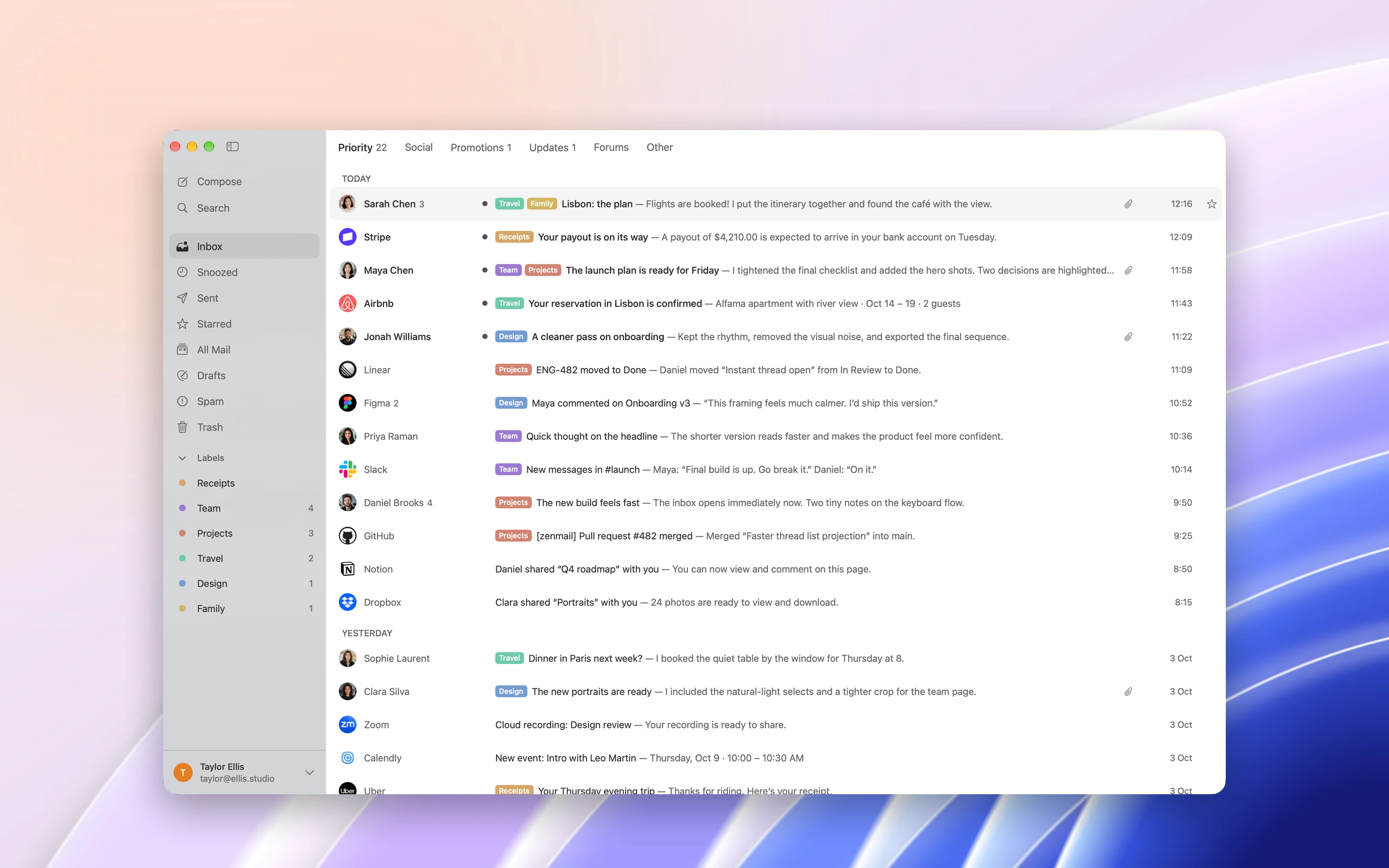
ZenMail is Gmail the way a Mac app should be. Fast and light, keyboard-first, with threat detection built into every message. And your email stays between Gmail and your Mac.
Requires macOS 26 or later. Works with Gmail and Google Workspace.
Get the highlights.
Zen Mode shows one email at a time, until you reach Inbox Zero.
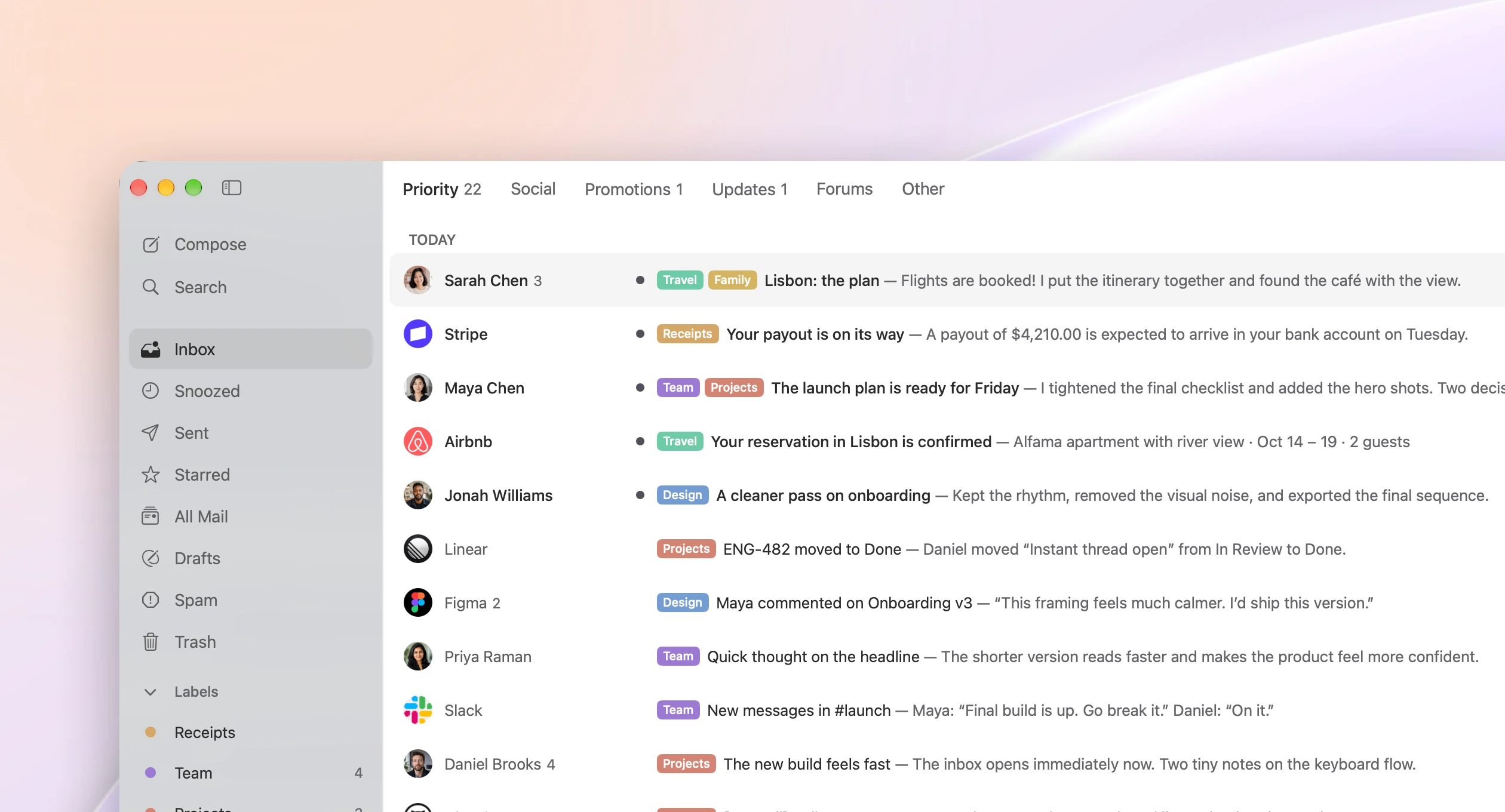
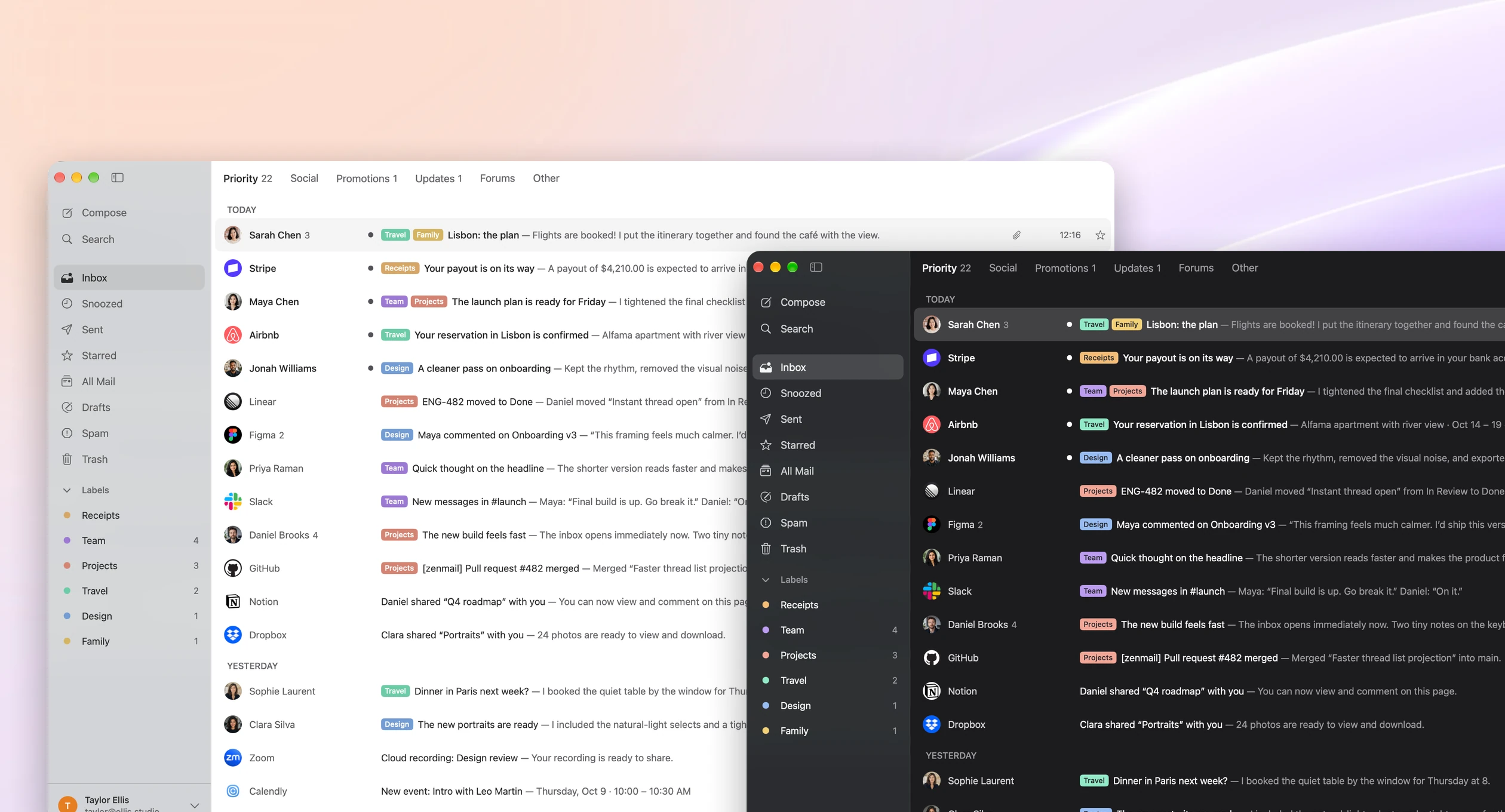
A native Mac inbox that’s fast, light, and stays out of your way.
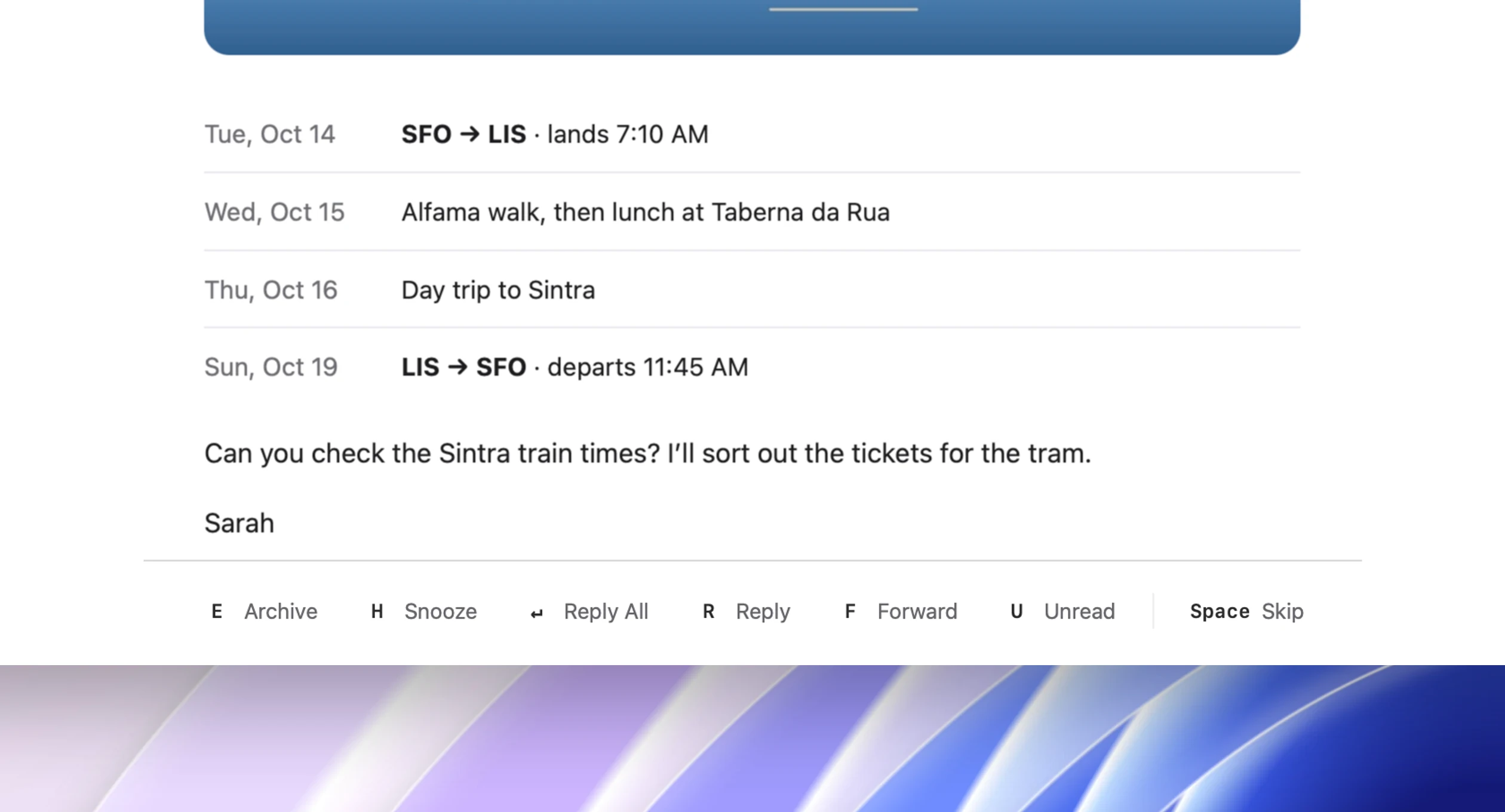
Every action has a key, and the toolbar shows you which one.
Designed for macOS, in Light and Dark appearance.
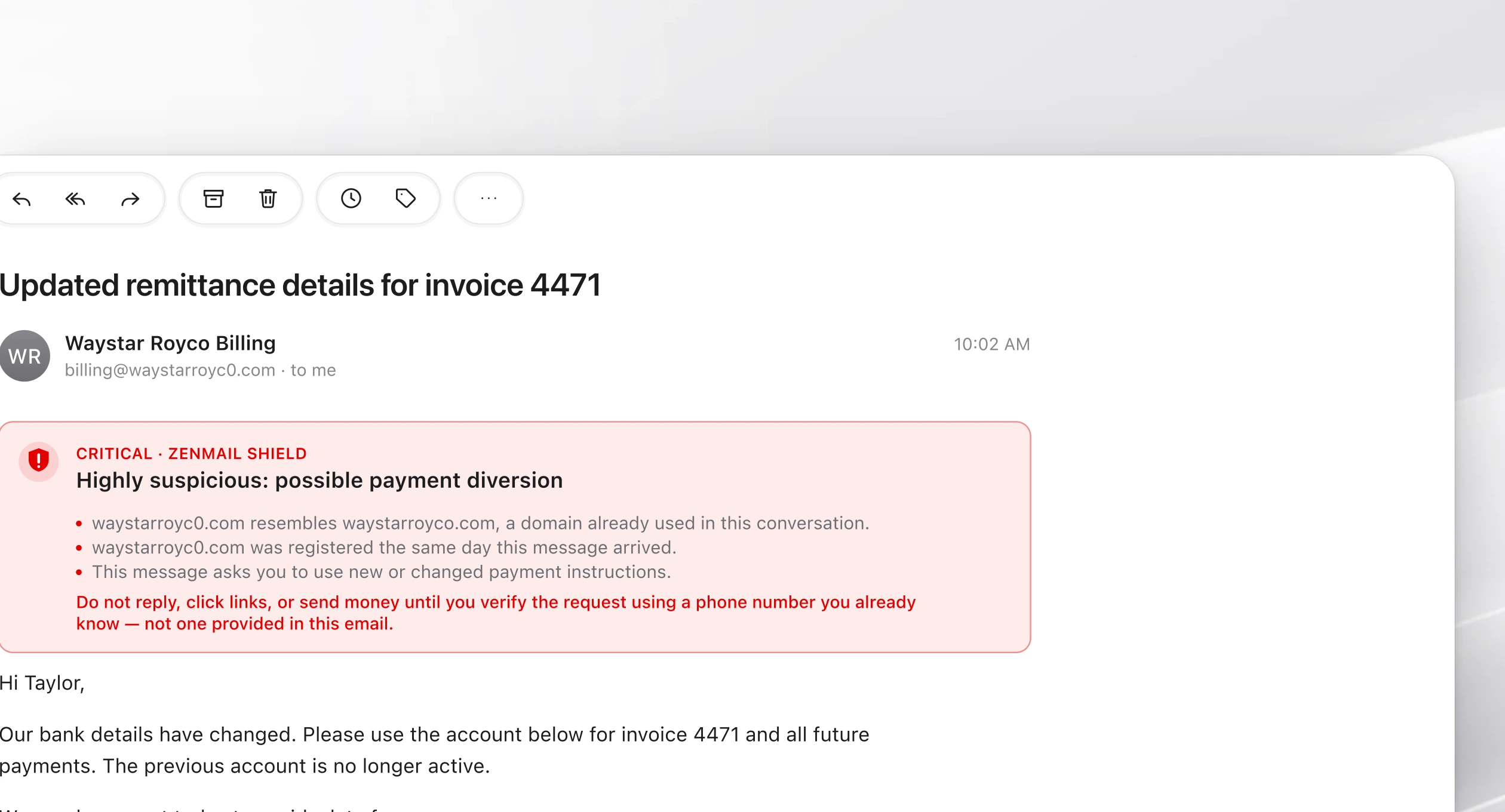
ZenMail Shield flags phishing and payment fraud before you act.
Zen Mode
One email at a time.
Then none.
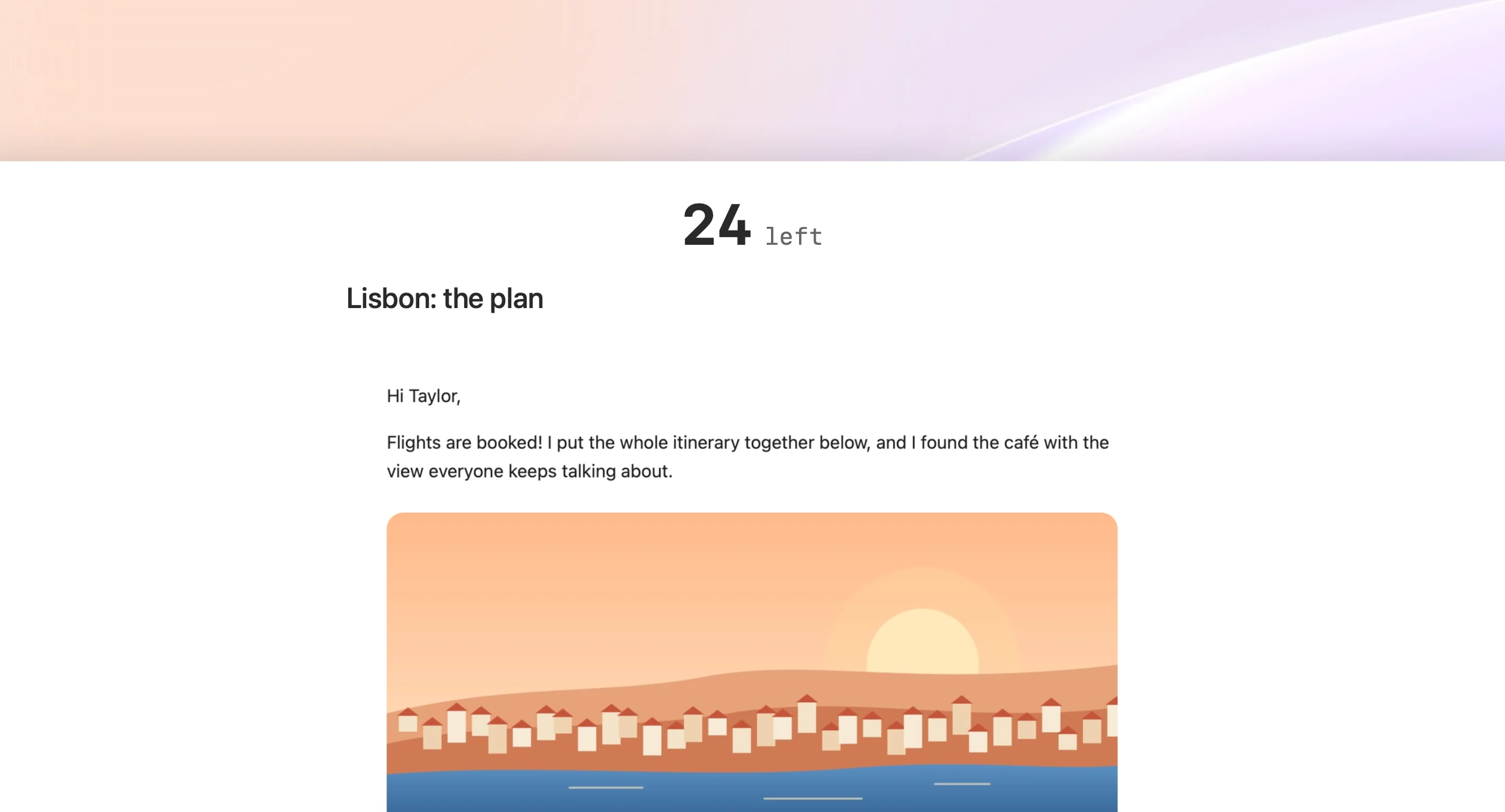
Zen Mode clears away everything but the email in front of you. Archive it, reply, or snooze it, and the next one slides in. The counter ticks down until you reach Inbox Zero.
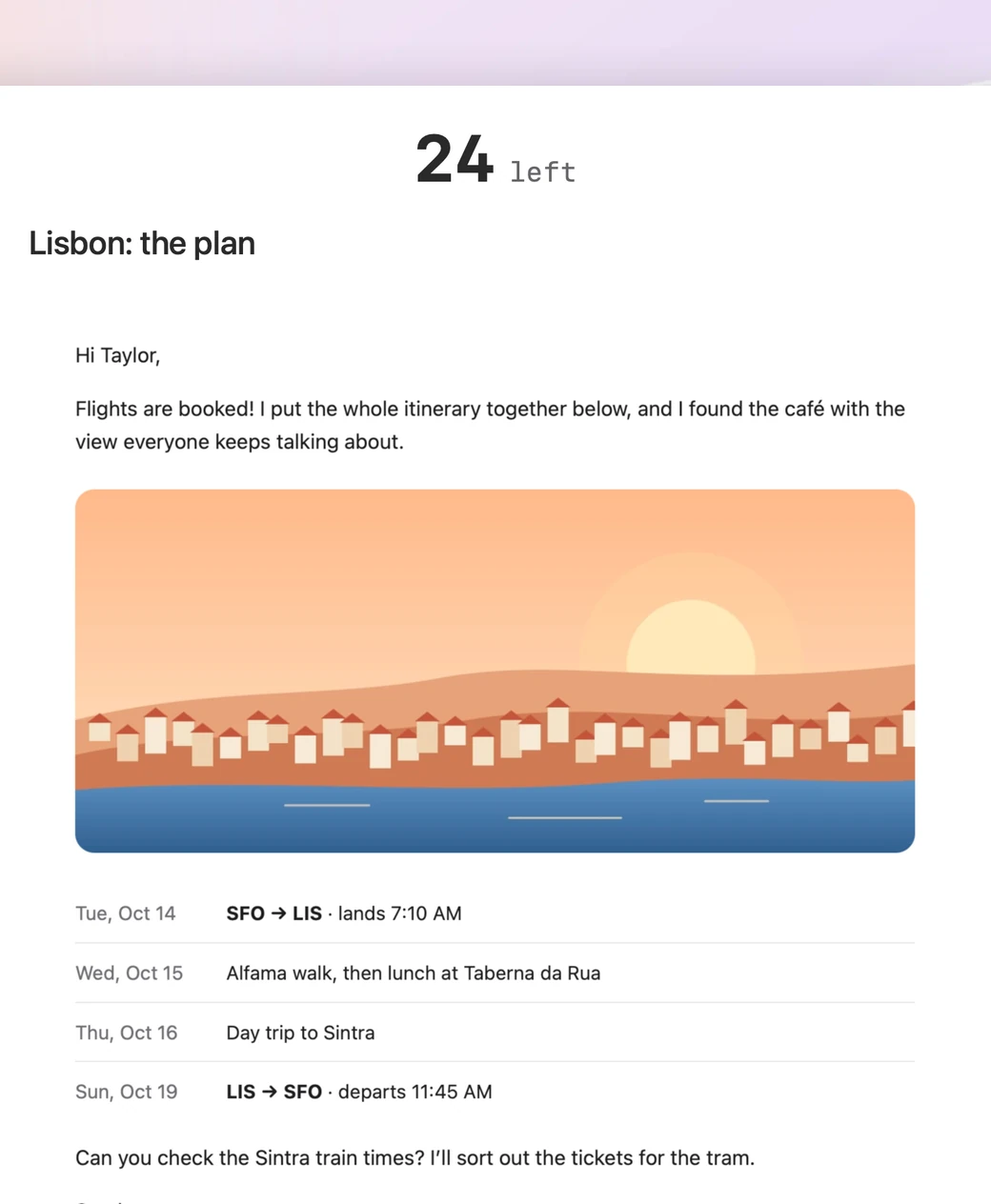
One email at a time. Everything else steps aside, so each message gets your full attention.
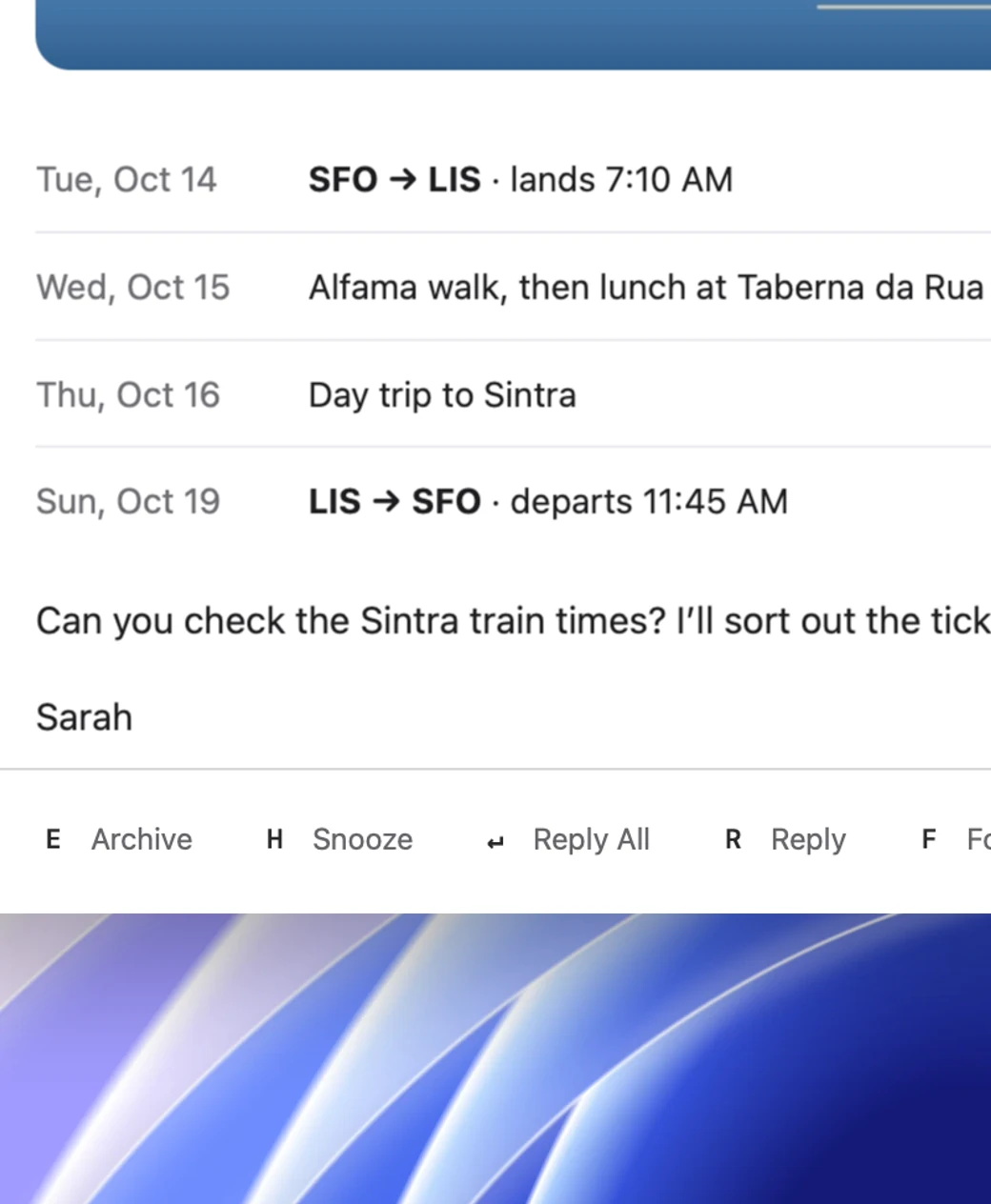
Act in a keystroke. Archive, snooze, or reply, and the next email slides right in.

Light or Dark. Zen Mode follows your Mac’s appearance, so late-night triage stays easy on the eyes.
ZenMail Shield
Threat detection,
built into every message.
Shield correlates sender identity, domain intelligence, authentication signals, message intent, and conversation history to expose phishing and payment-diversion attacks before you act. And it all runs locally on your Mac.
Learn more about ZenMail Shield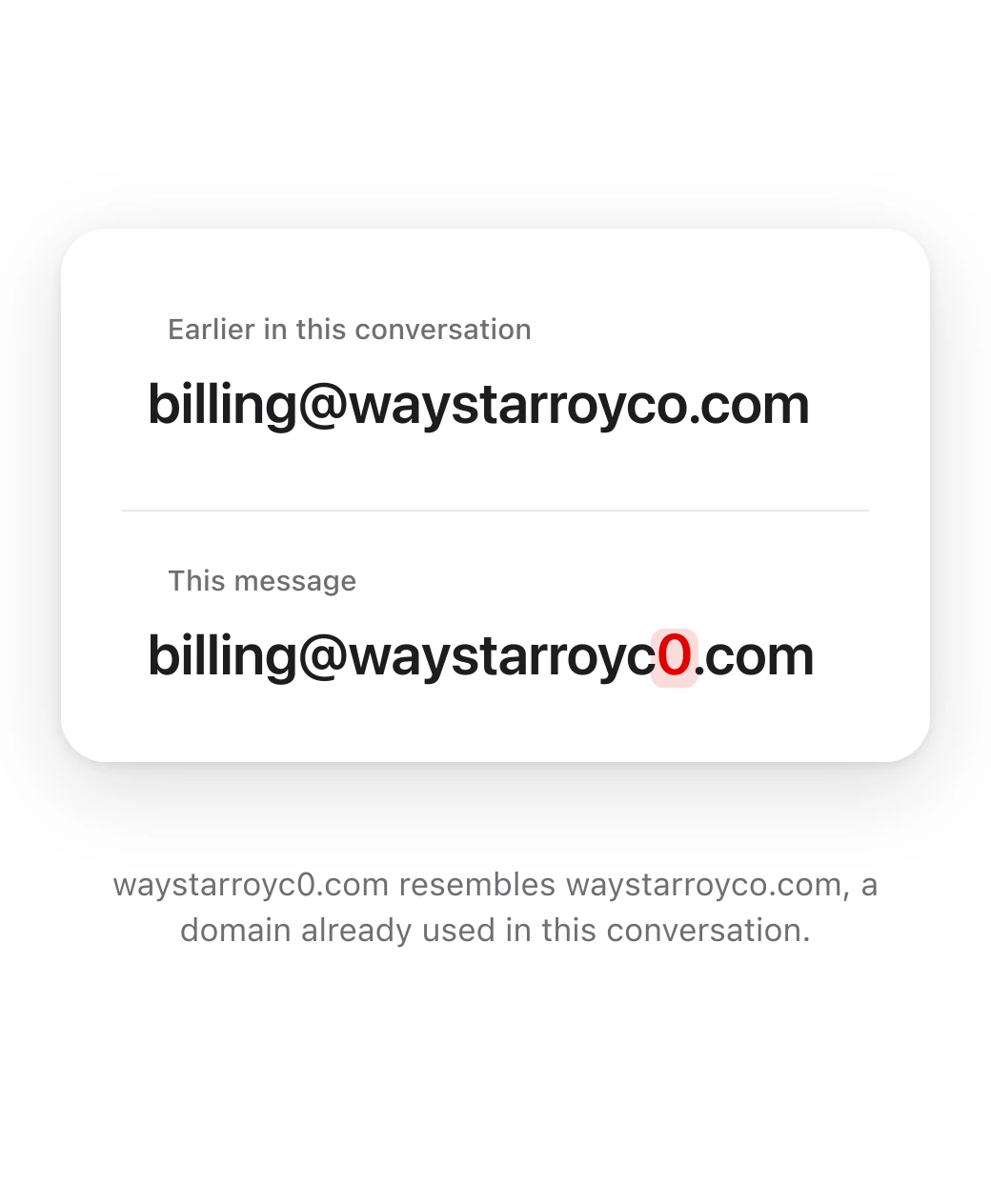
Lookalike domains, spotted. Shield notices when a sender’s domain is a near match for one already in your conversation.
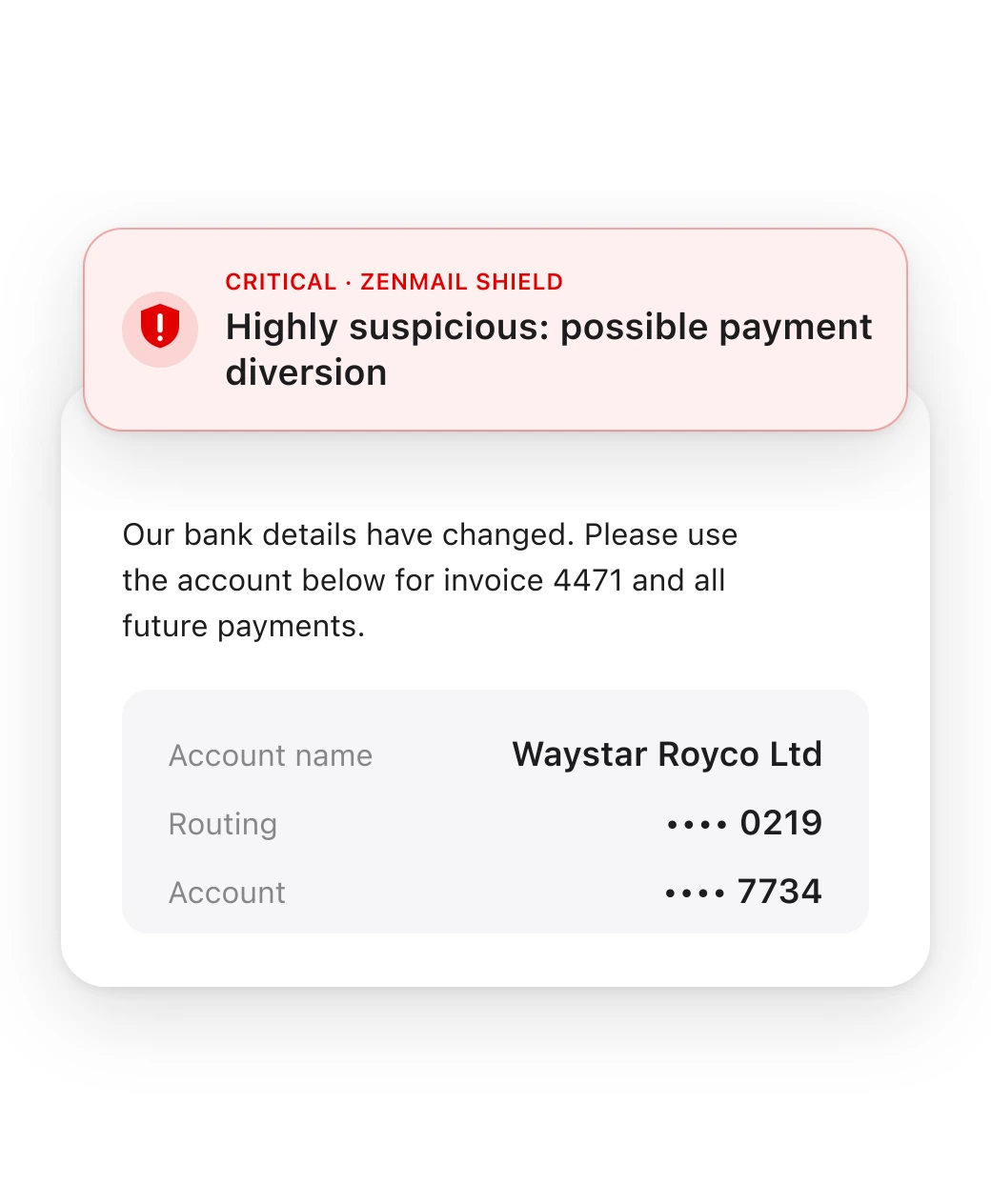
Payment diversion, flagged. Requests to use new or changed payment details get a clear warning before you send money.
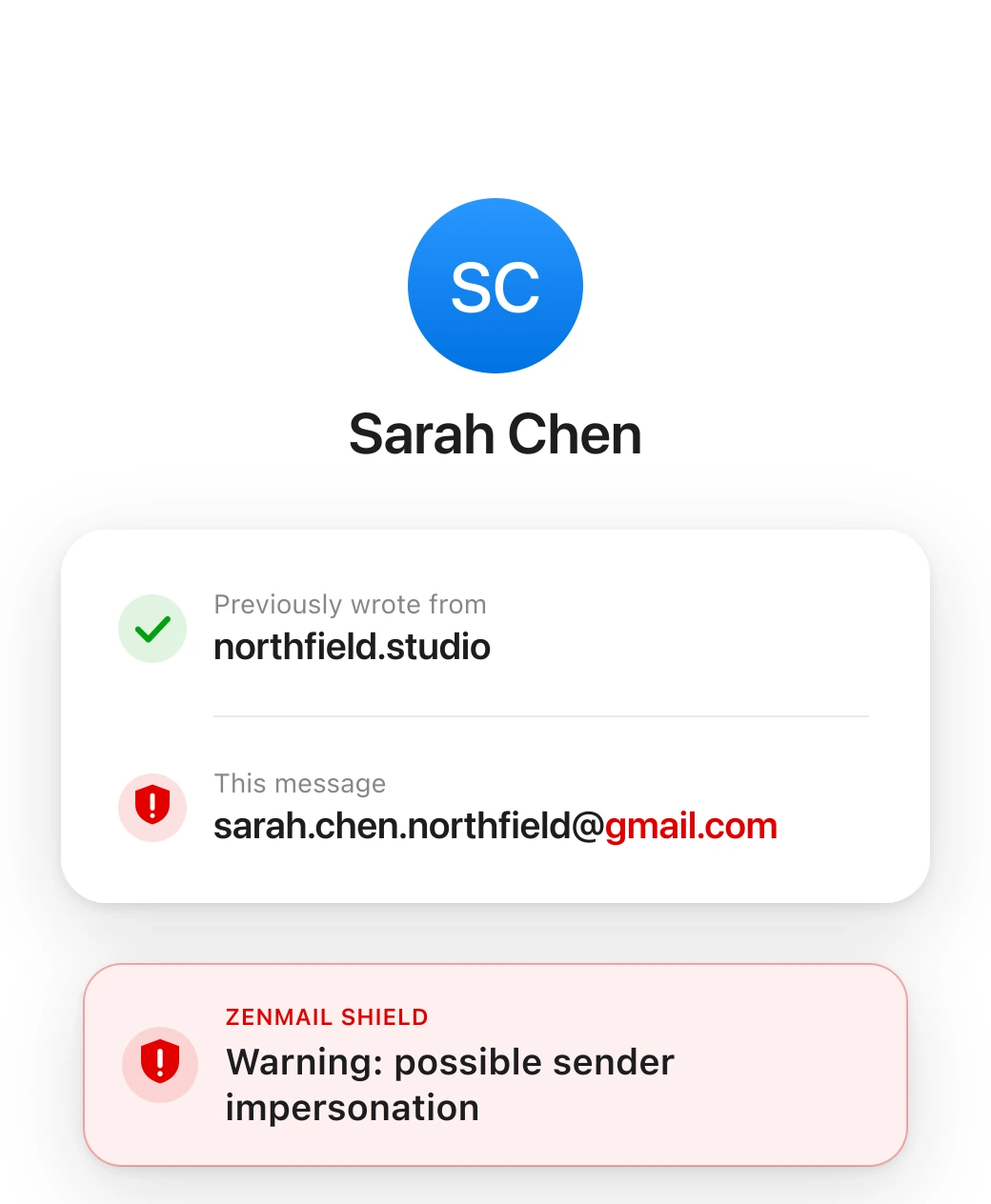
Impersonation, exposed. Shield checks sender identity and authentication signals to catch messages pretending to be someone you know.
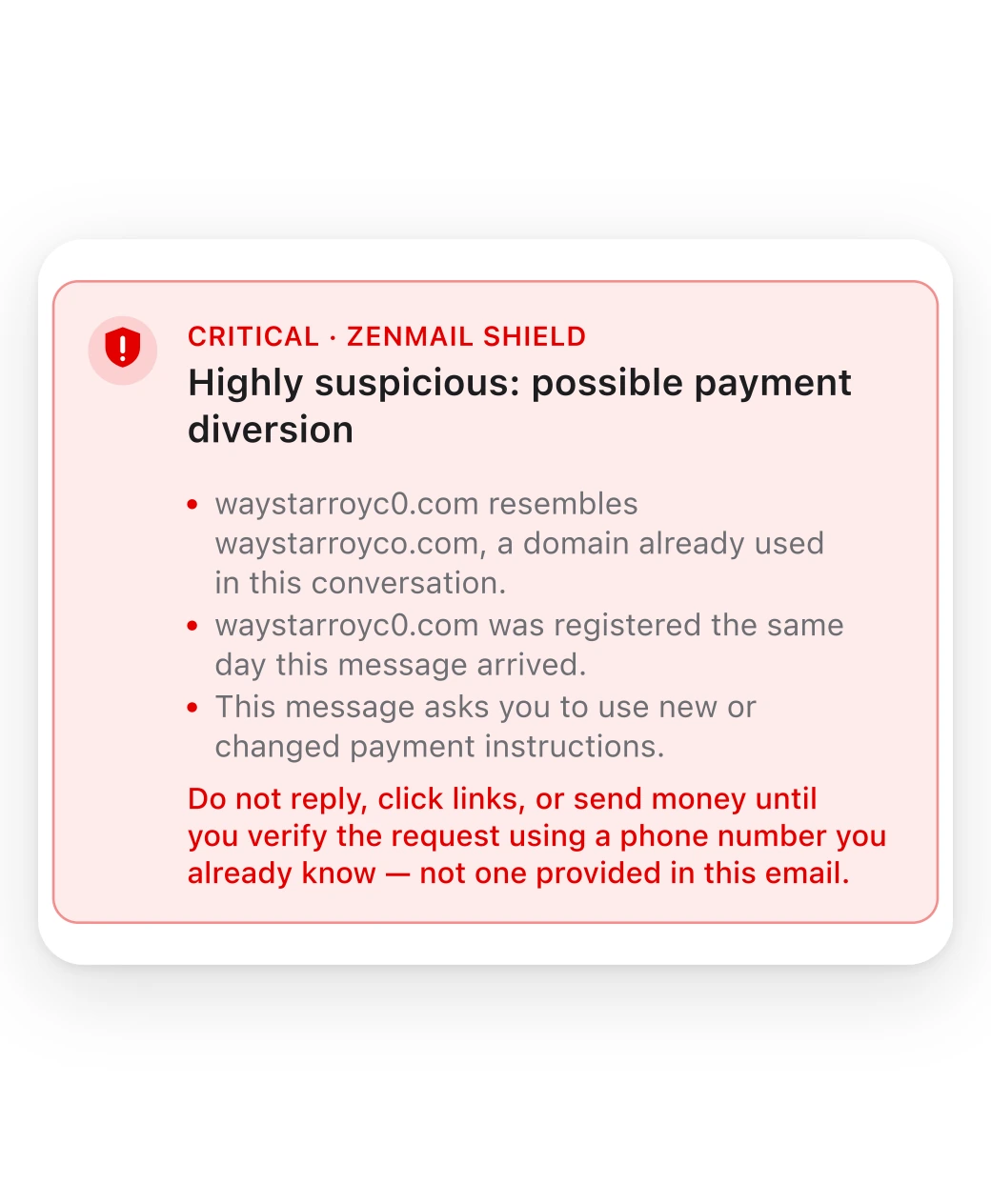
Explainable by default. Every warning shows its evidence and what to do next. Nothing leaves your Mac.
Keyboard-first
Every action has a key.
Archive, reply, snooze, search, and compose without reaching for the mouse. Once your hands learn the keys, your inbox moves as fast as you think.
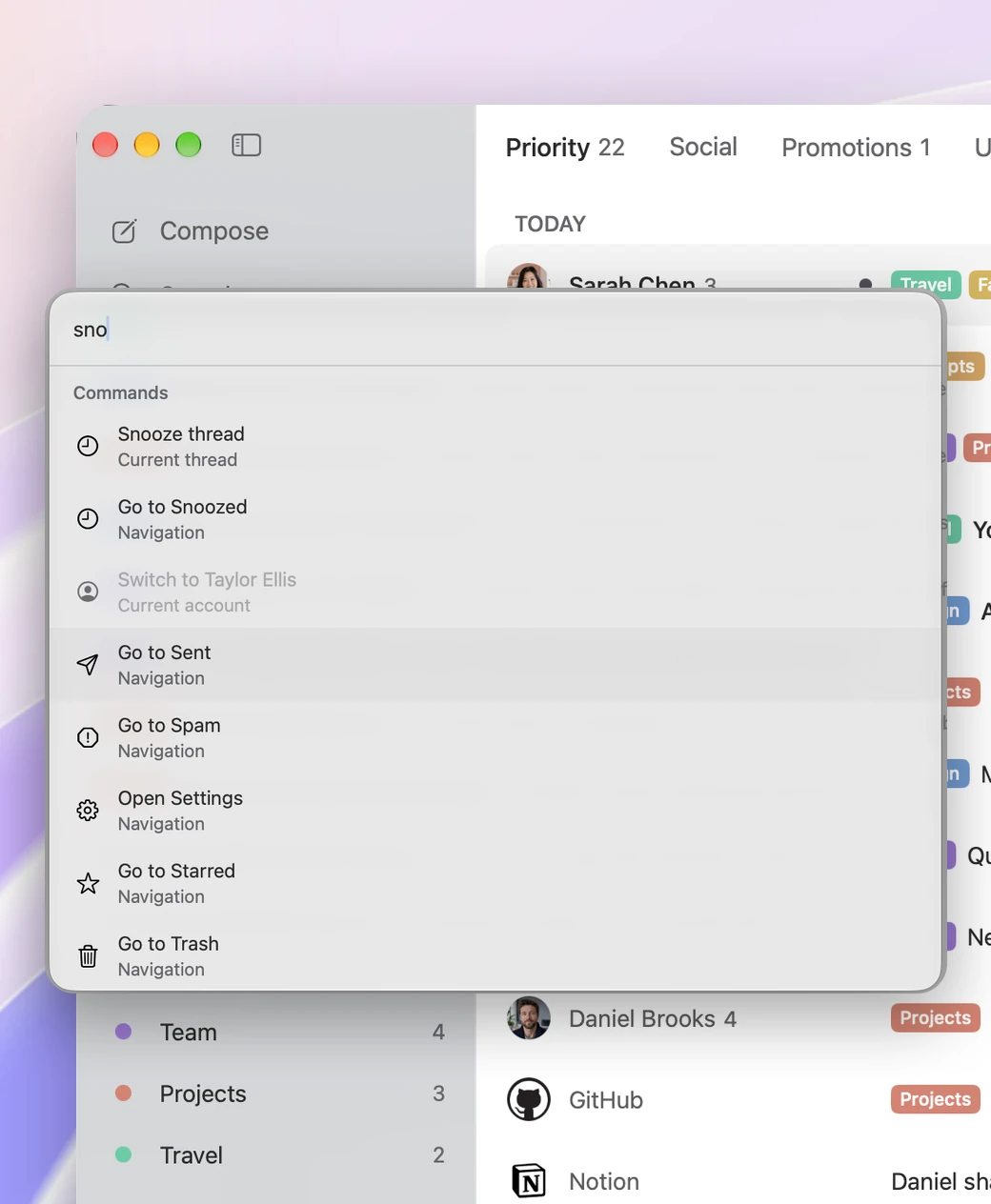
Command Palette. Press ⌘K, type a few letters, and run any action or jump to any mailbox.
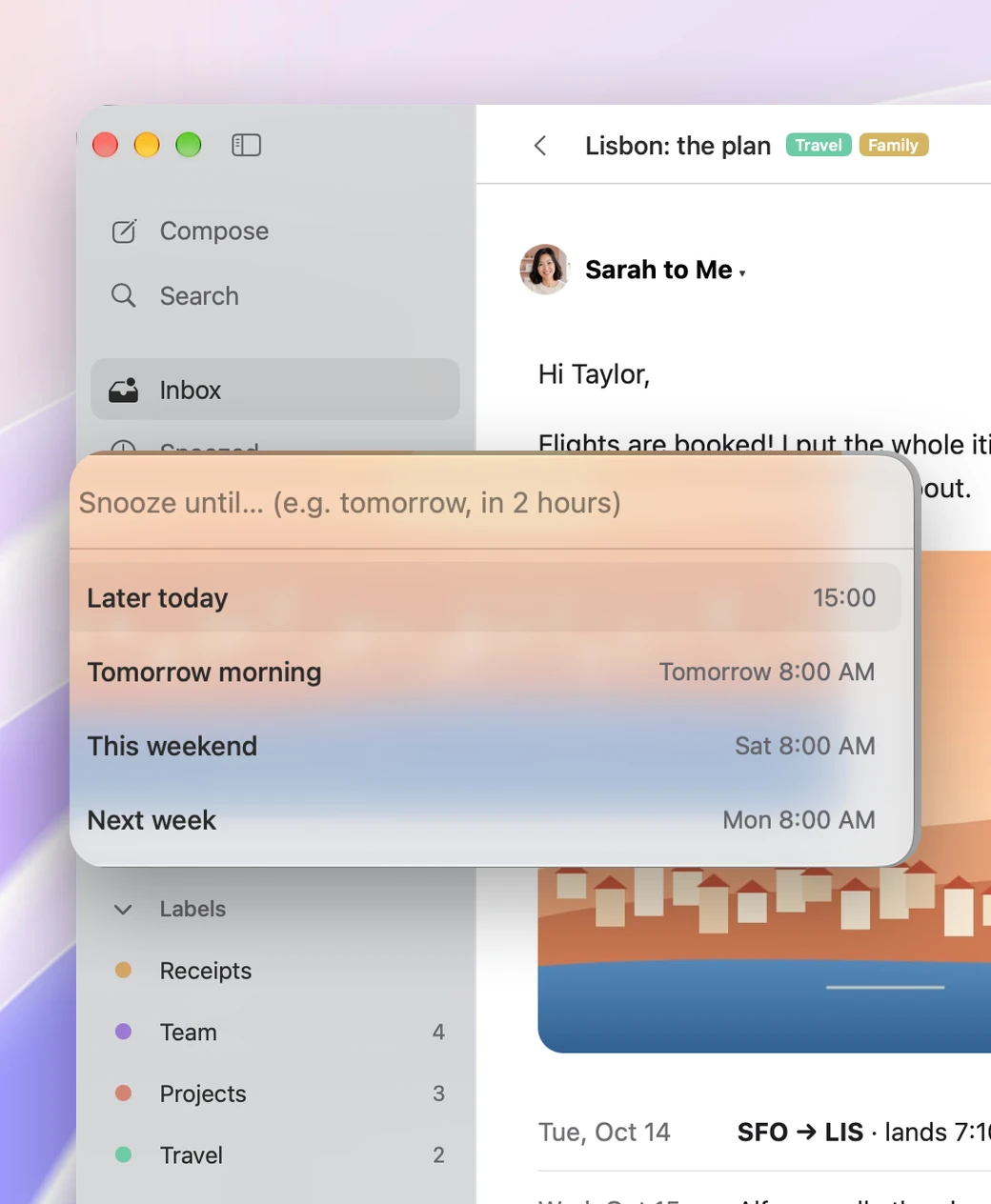
Snooze in plain words. Press H and type “in 2 hours” or “friday.” The email comes back right on time.
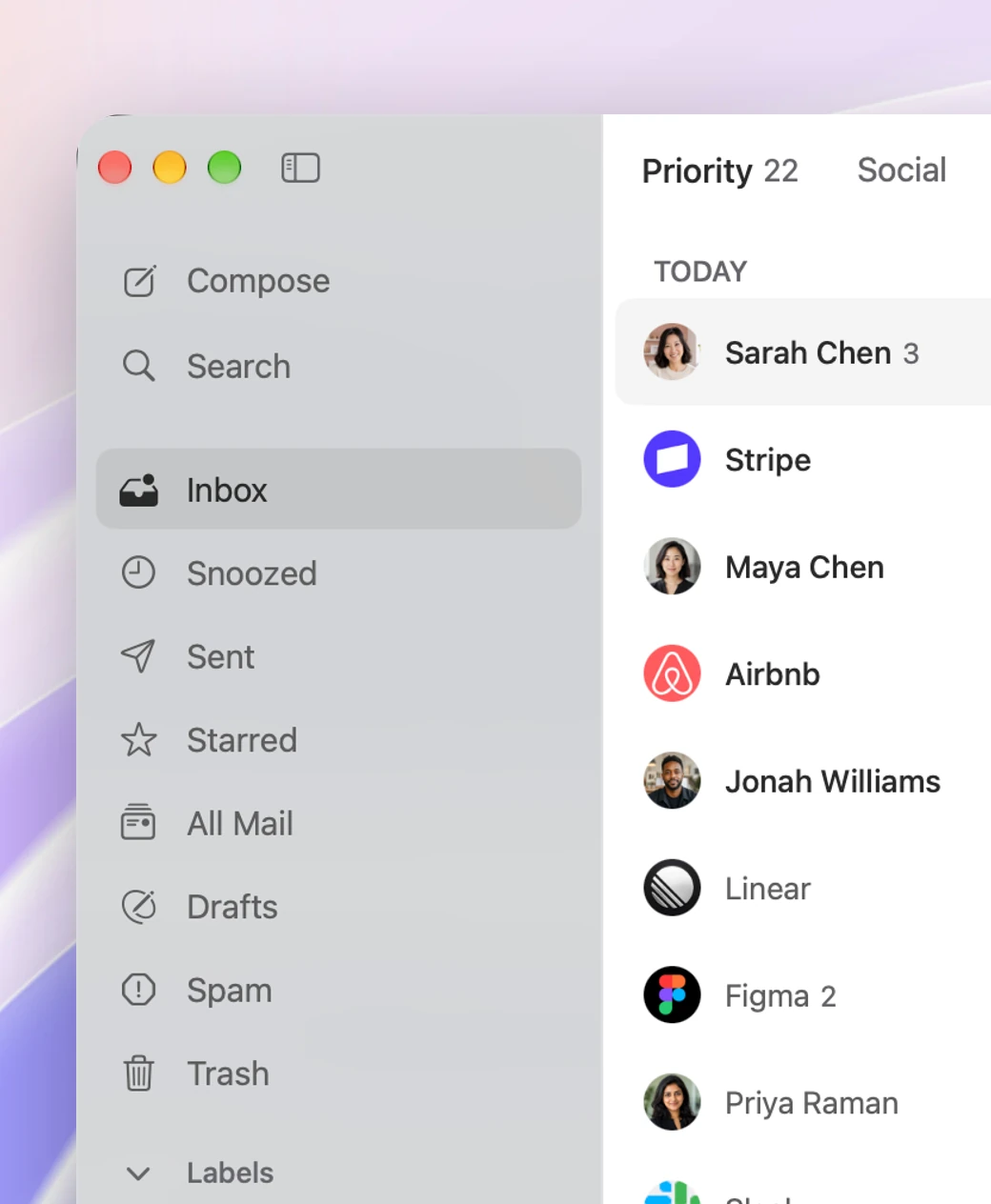
Jump anywhere. Press G, then I for Inbox, S for Starred, or T for Sent.
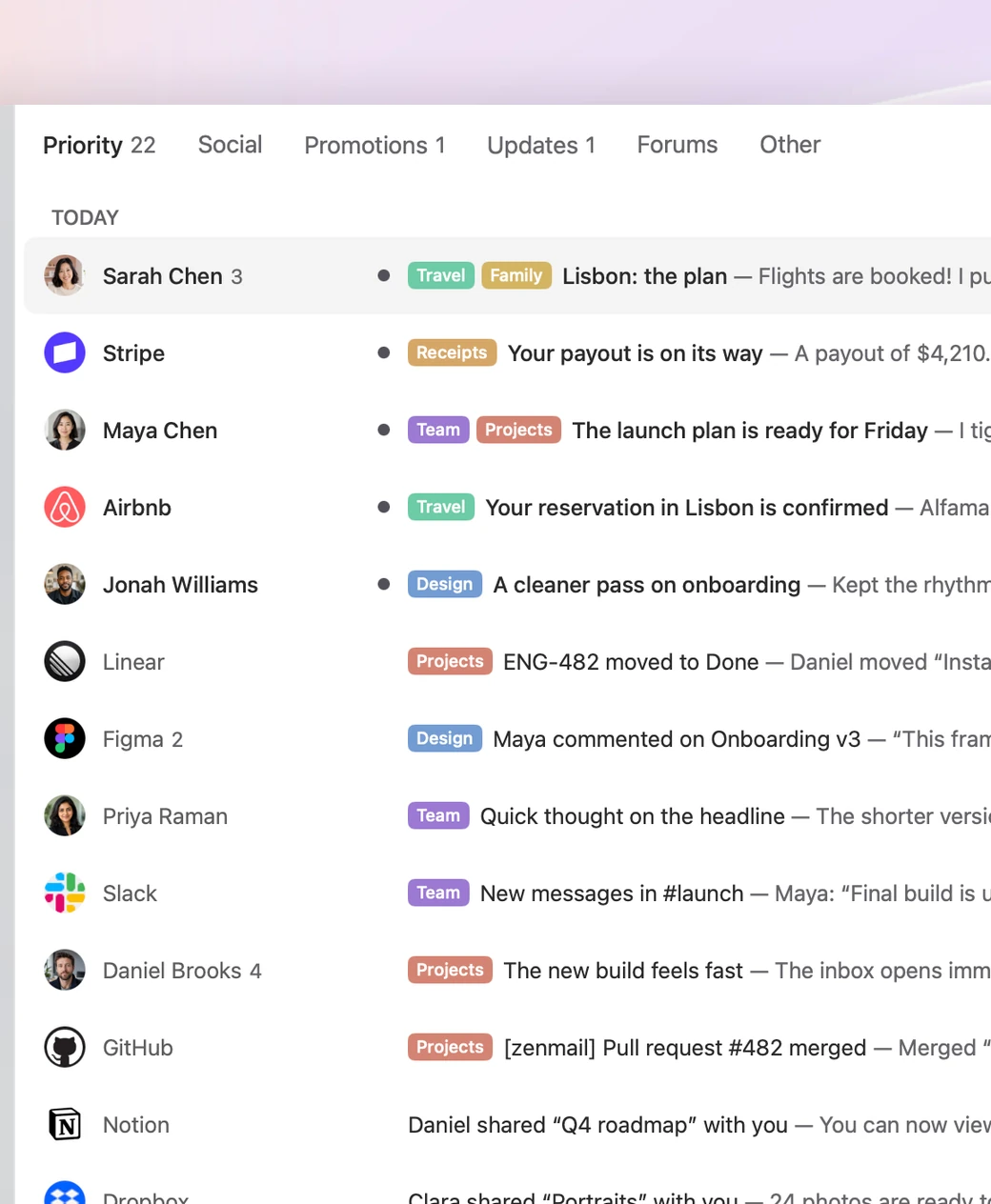
Sorted on your Mac. On-device intelligence splits your inbox into Priority, Updates, and more. It never goes to our servers.
Privacy
Your inbox stays between
you and Gmail.
Your email travels directly between Gmail and your Mac. ZenMail doesn’t keep a copy on its servers, doesn’t track what you do in the app, and makes money from customers, not ads.
Read the Privacy PolicyDirect to Gmail
Your mail never passes through our servers.
Independently assessed
ZenMail has completed an independent CASA Tier 2 security assessment.
Read about the assessmentAnd so much more.
-
Secure sign-in. Your Gmail connection is kept in macOS Keychain. ZenMail never sees your password.
-
Only the access it needs. ZenMail asks Google only for the access required to manage your email.
-
No in-app tracking. ZenMail doesn’t track what you read, write, or do in the app.
-
Works offline. Read, organize, search, and write replies offline. ZenMail sends them when you reconnect.
-
Gmail and Google Workspace. Works with personal Gmail and Google Workspace accounts, side by side.
-
Paid, not ad-supported. ZenMail makes money from customers. Not from ads, and never from your inbox.
Questions? Answers.
What is ZenMail?
ZenMail is a fast, keyboard-first Gmail app built specifically for Mac.
Is ZenMail built on Electron?
No. ZenMail is a native Mac app, built to feel fast, light, and at home on macOS.
Does ZenMail store my email on its servers?
No. Your email goes directly between Gmail and your Mac. ZenMail does not keep a copy on its servers.
Which email providers does ZenMail support?
ZenMail works with Gmail and Google Workspace accounts.
Does ZenMail work offline?
Yes. You can read, organize, search, and write replies offline. ZenMail sends them when you reconnect.
What is ZenMail Shield?
ZenMail Shield is an advanced email threat detection suite that looks for sender impersonation, lookalike domains, payment diversion, credential requests, and suspicious changes inside an existing conversation.
Is ZenMail free?
No. ZenMail is a paid app. You will see the price and any trial before checkout.

Try ZenMail free.
Download ZenMail and use every feature free for 7 days.
Payment method required. Then US$14.99/month or US$119.88/year, unless canceled during the trial.
ZenMail runs on macOS 26
and later.
- Gmail
- Google Workspace
- Macs with Apple silicon